





Introduction
Hardware Labs Nemesis 280 GTX Radiator Review
Welcome to another Extreme Rigs 280mm radiator review. Today we’ll be looking at the Nemesis® 280 GTX from Hardware Labs. It is one of 8 models available in the Nemesis® GTX® range of radiators that fall under HWLabs’ Black Ice® banner.

The Nemesis 280 GTX is a 54mm thick radiator and is one of the thick radiators in our test group. The Nemesis GTX range seems to have a reputation for being best suited for high speed fans, largely due to it’s predecessor, the Black Ice GTX (Gen Two Xtreme) which had a much higher fin count. However testing for our review of the Nemesis 360 GTX last year showed the Nemesis GTX series has a much more balanced performance spread. Note that this radiator is technically called the Black Ice Nemesis GTX, however to avoid confusion with the Black Ice GTX we will simply call it the Nemesis GTX.
In this review of the Nemesis 280 GTX we’ll take a close look at it’s construction & quality, analyze the performance data by comparing it’s results against other 280mm radiators and then conclude with a summary.
Firstly a big thanks to Hardware Labs for providing the review sample of the Nemesis 280 GTX. Since we commenced our radiator testing their commitment to our independent tests has been exemplary. Extreme Rigs couldn’t publish the reviews we do without the continued support offered by our sponsors, so a big thanks to all the crew at Hardware Labs.


Before we start we would again like to say thanks to Noctua for providing the NF-A14 Industrial PPC-2000 IP67 PWM 140mm fans. We use these fans for all our 140mm based radiator thermal performance testing because they have great static pressure which is required to get the best performance from even densest of radiator cores and of course, their proven reliability.


What’s in the Box?
The Nemesis 280 GTX sample arrived in full retail packaging. The front features an image of the radiator and Nemesis logo, along with the model number in large bold lettering.
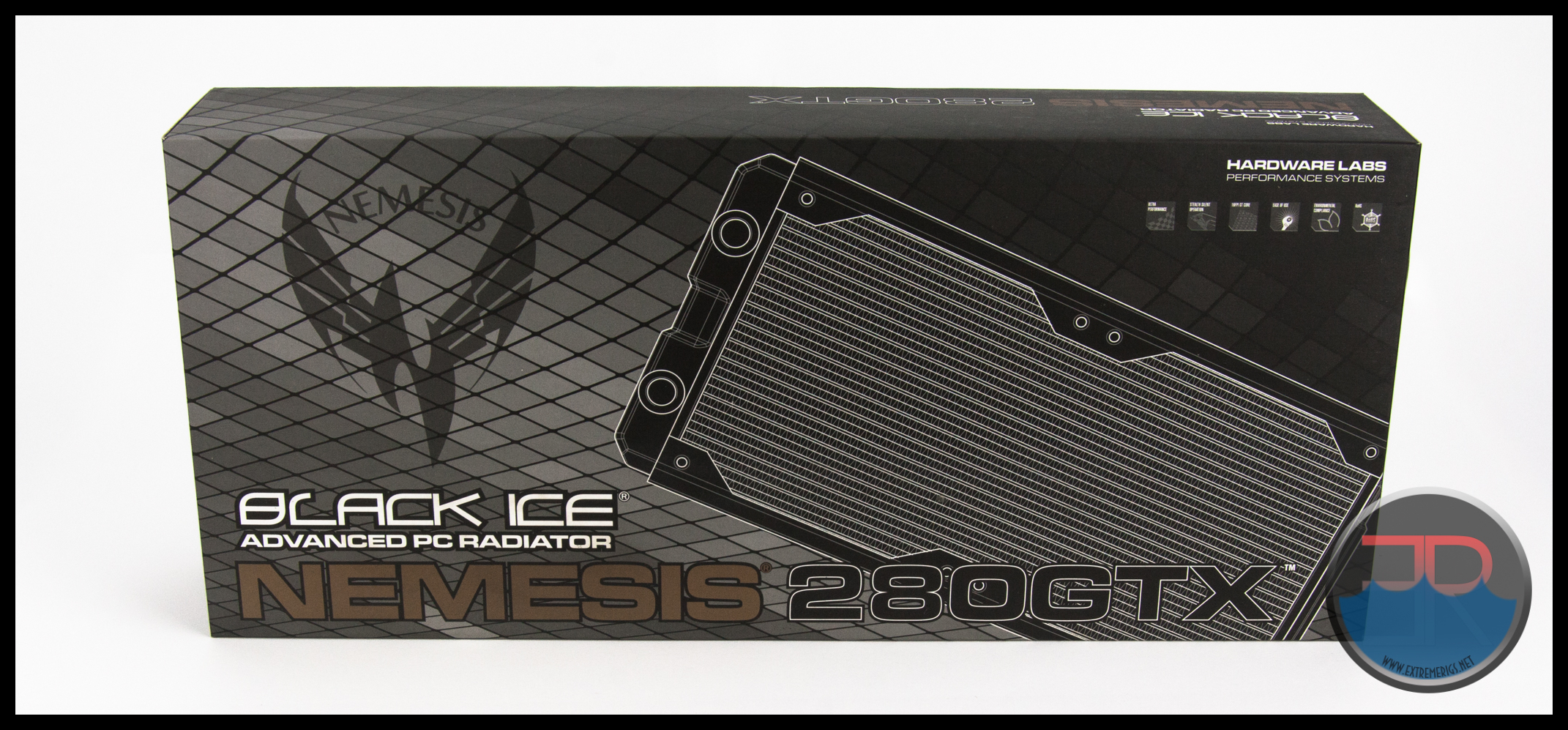 On the back is a technical drawing along with a list of features.

After removing the outer retail sleeve we find a sturdy cardboard box with a Black Ice® seal.
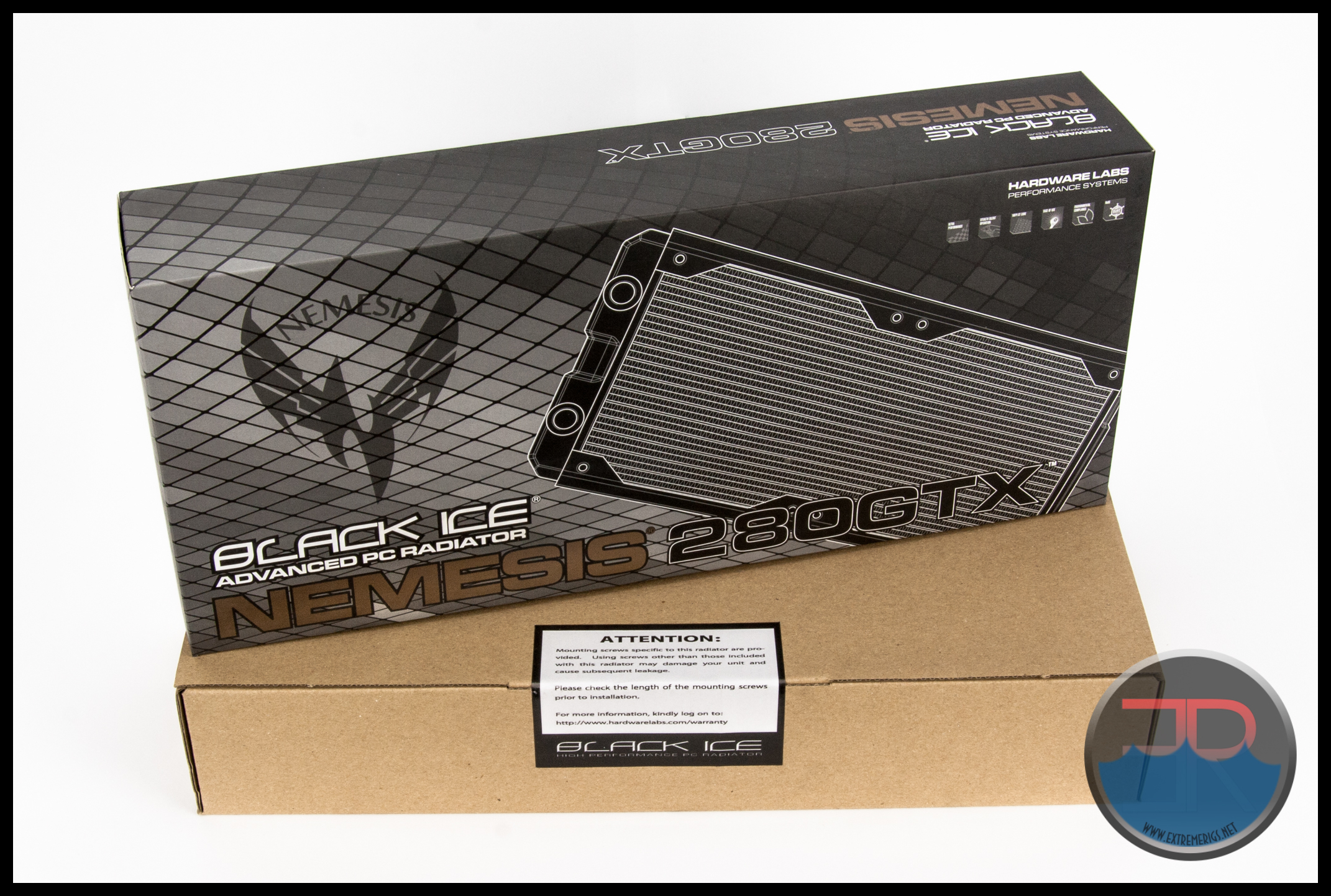
The seal advises to check screw length if using screws other than those provided, which we’ll discuss in more detail shortly.

Opening the box, we see the familiar packing layout which HWLabs use for all their radiators. The packaging is strong and secure, but it we feel it lacks a bubble wrap sleeve to avoid possible scuffing/scratches on the paint during transport.

On the right hand side the supplied accessories are placed under a lift up flap.

The accessories consist of the following:
8 x M4 x 28mm Phillips Head screws.
8 x M4 x 5mm Phillips Head screws.
As only 8 screws of each length are provided, you will need to provide an extra set of screws if you intend to install a Push/Pull fan assembly.

 The shorter screws measure in at ~5mm and have 2 possible uses. Firstly is for directly mounting the radiator to a case panel. Alternately they could be used to attach mounting brackets for reservoirs or pumps.

The longer screws are 28mm long. These are the perfect length for mounting a 25mm thick fan, however in almost all instances they are not long enough to mount a fan between radiator and case panel. If using a mounting bracket, or placing fans between the case panel and radiator, you will need to provide your own M4 screws of suitable length. In most instances M4 x 30mm screws will be suitable.
In the following photo a 30mm screw has been used to fix the fan in position with a supplied 28mm screw beside it. There is about 2mm clearance when using the 30mm screw to attach the fan, so we wonder why 30mm screws are not supplied with the radiator. If 30mm screws were supplied purchasers would have the choice to fit a fan between their case panel or directly mounted to the radiator without having to purchase any additional screws. Even better would be to inlcude 2 sets of 30mm screws to fit push/pull fans.

Onwards to technical specifications!
Technical Specifications

Technical Specifications as listed by HWLabs:
- 140 mm x 2 fan Xtreme form factor two-pass radiator
- 312mm x 153mm x 54mm (L x W x H)
- 16 FPI 25 Micron Copper Fins
- Now optimized for sub-800 rpm ultra-stealth fans
- Supercruise optimizations for scalable performance with higher speed fans
- 15% more tubing area in the same Black Ice® GTX™ 280 form factor
- Increased internal coolant flow rates
- Standard G 1/4″ inlet/outlet fittings
- Standard M4 mounting threads
- Custom Dark Matter™ high quality finish
- Fully ROHS Compliant
- 100% Made from conflict-free materials
- Industry standard Black Ice® quality
- Lifetime warranty against manufacturing defects


Dimensions Measured on the Radiator Tested:
 Most HWLabs radiators are wider than other manufactures and the Nemesis 280 GTX is no different. With a width of 153mm it is ~8mm wider than most other competitors.
Radiator Core Dimensions:

The Nemesis 280 GTX is a dual pass radiator, but not in the traditional sense where the coolant flow path is side to side or U flow. On the Nemesis GTX series radiators including the 280 version, the flow path is front to back.
Let’s take a quick look at a U-Flow radiator first and make sure we understand the flow path that nearly all other radiators on the market use. The following picture shows a typical U-Flow coolant flow path, where the coolant travels up all the tubes on one side (left in pic) of the rad and then returns down the other side. U-Flow is most easily recognized when the port end has 2 separate tanks.

The Nemesis 280 GTX (and other Nemesis GTX models) is significantly different in that the coolant flow path is front to back OR back to front depending on which port is used as the inlet.
In other words the coolant travels up the tubes the full width of the radiator core then changes direction in the non-port tank and travels down the other set of tubes on the opposite side of the core.
To get this flow path to work HWLabs have installed a plate and tube in the port end tank.

Another way of thinking about it is that there are two cores back to back and the coolant travels up the tubes of one core and then changes direction and returns down the other core.
Which port is used as inlet or outlet does have an impact on the cooling potential of the Nemesis 280 GTX. In our previous Nemesis GTX reviews we coined the term “Opti-Flow” for the configuration which gives the best performance, we believe that HWLabs calls this orientation “Maximize”.
All thermal tests on the Nemesis 280 GTX were conducted in the “Opti-Flow” configuration.

As a whole, the core has 2 layers of 16 flat style copper tubes that are 1.0mm thick. The split, non louvered fins are rather evenly spaced with a 13 – 15 FPI spread which is a bit less that the HWLabs specs which offer a 16 FPI count.

Finish and Features
The matte black finish on the review sample was excellent. In fact the finish is perfect and is part of the reason Hardware Labs has been setting the standard for PC water cooling radiators for the past decade. All visible joints are well done, port locations are well placed, and fan mounting holes are positioned correctly.
The following images are courtesy of Performance PCs and show the 4 different finish options the Nemesis 280 GTX is currently available in.


Performance PCs also have a “Primer Only” version available of the Nemesis 280 GTX.
To assist in the perfect paint job they sell the “HWLabs Professional Radiator Paint Hanger Assembly“.

Screw protection plates are not fitted under the fan attachment holes of the Nemesis 280 GTX.

We find this unusual as it seems the Nemesis GTX series is the only Hardware Labs offering which doesn’t have them fitted.

Unfortunately one set of tubes is located under the screw holes. So as always, we recommend checking your screw lengths carefully before tightening down the fan assembly. No doubt this is the reason for the 28mm screws.

A standard 15mm spacing is used between the center fan attachment holes..

The first technical drawing showed a fan spacing of 124.5mm which is just about perfect for a 140mm fan which has a center spacing of ~125mm.

Fan spacing distances across and lengthwise were all as good as could be hoped for.

Speaking of fans, let’s take a look at the Nemesis 280 GTX with a few different fans attached.

The Nemesis 280 GTX is fitted with just 2 x G 1/4 ports. We love a good multi-port rad and while having only 2 ports left us wanting more, we understand that the front to back flow path means it would be rather difficult to implement more port options.
 No alternate ports are on the other side or ends of the tanks.
 and no ancillary port is fitted to the return end.

This leaves us with a modern looking twist on a radiator with “traditional” port locations.
 Here a Bitspower jumbo sized 1/2″ x 3/4″ compression fitting which is 25.5mm wide is installed with a fan attached. Therefore even the largest of fittings can be used on the Nemesis 280 GTX.

Care has been taken to avoid paint getting onto the thread of the ports. It’s small details like this which make for carefree integration into your loop and avoiding any unnecessary maintenance issues.

So we have a 54mm thick radiator with a medium density core which has a front to back flow path. Only two G 1/4 ports are fitted and screw protection plates are not installed. The paint finish on the matte black sample was excellent as was the overall build quality.
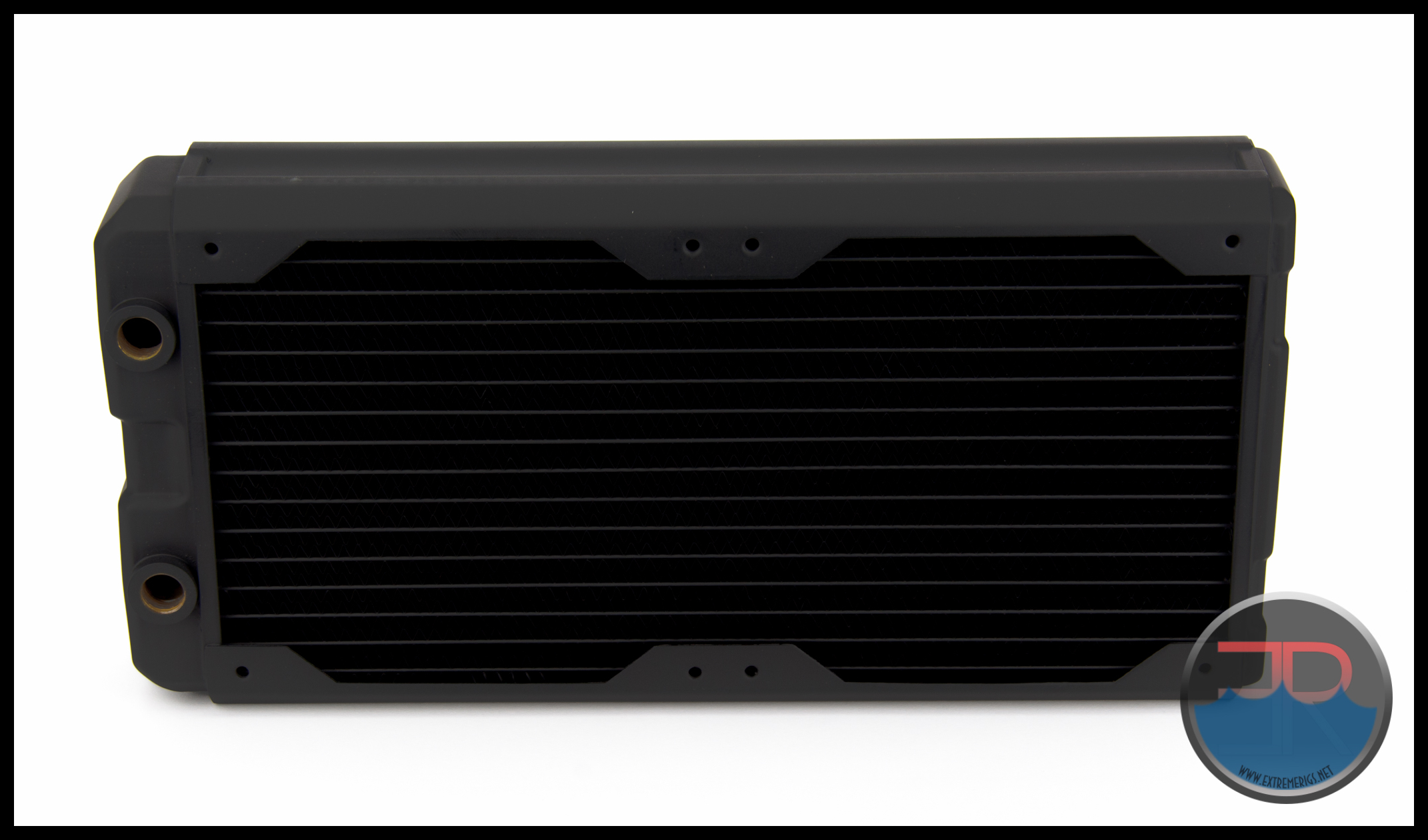
Let’s see how it performs…

Flow Rate Testing
The Data
As all the testing was performed with the exact same equipment (except the 140mm Noctua Industrial fans replace the 120mm GT fans), using the exact same methods as was used in the 360mm round-up we have decided to keep this review uncluttered by keeping our testing methodology, test set-ups and equipment used in a single location. To see exactly how the tests were carried out, details of the test set ups and equipment used, please head over to the RRU Test Setup page.
Restriction Test
It is generally agreed that radiators are one of, if not the least restrictive components in the water cooling loop. There are some exceptions however, so this must still be verified through testing:
 The above photo is for referencing the restriction test bench The Nemesis 280 GTX is not loaded so please disregard the data in the picture as it does not relate to the its test results.
Here is the raw data at the tested flow rates, displaying the measured Differential Pressure across the radiator as flow rate was increased.
 The table numbers indicate that the Nemesis 280 GTX might be a medium restriction radiator and the 1.0mm thick tubes would offer a logical explanation, but let’s not make any assumptions just yet. Numbers in isolation can only tell half the story. By plotting against other components it more easily shows the whole story.
We use a HeatKiller 3.0 CPU block as the reference in this next plot for two reasons. Firstly there is little chance of the plot being cluttered by curves overlapping and secondly it gives a reference point against a fairly common loop component of average restriction.
As with all previous radiator restriction plots, we have limited the maximum flow rate displayed to 2.0 GPM as we suspect there are very few systems that operate above 2.0 GPM. For more information on how to read a restriction plot check out our guide.
 This plot indicates the Nemesis 280 GTX is a low restriction loop component when compared to a CPU block of average restriction, but what about other radiators?
The next three plots show the restriction level at three different flow rates compared to the other 280mm radiator that have been tested. We consider the chosen GPM rates to represent systems which have low, medium and high flow rates.


The Nemesis 280 GTX has a medium restriction level compared to other 280 radiators which were tested.
A zoomed in plot showing a flow rate zone where most systems are likely to be operating at.

Let’s now take a look at where the Nemesis 280 GTX fits in relation to all the radiators we have tested. For this plot, only results for 1.0 GPM have been used for the comparison.
 When put into context with all the radiators at 1.0 gpm, the Nemesis 280 GTX still fits our criteria as a medium restriction radiator.
Some readers may find the following plot interesting or useful. It shows restriction levels at 1.0 gpm for many current model radiators from Hardware Labs including the Nemesis 280 GTX (0.28 PSI).

Next onwards to Thermal Performance!
Thermal Testing
The Thermal Data
A quick reminder that all thermal tests were conducted with the Nemesis 280 GTX set up in Opti-Flow or “Maximize” as described by Hardware Labs to achieve maximum performance.
We did some comparison testing last year and found that Opti-Flow with Push/Pull fans (at all speeds) was most beneficial with a low flow rate of 0.5 GPM. At 1.0 GPM Opti-Flow still had a performance advantage, but by the time a 1.5 GPM flow rate was reached the two results were virtually the same with NON Opti-Flow even performing better at one data point. Note that this transitional point will vary depending on airflow. A radiator’s cooling is either limited by airflow or coolant flow. So if airflow is raised, then the point of diminishing returns on the coolant flow will also rise.
With Push Only fans the results varied with NON Opti-Flow performing much better with low speed fans. Opti-Flow had nearly caught up with medium speed fans and had taken over with high speed fans.

That testing was done on a Nemesis 360 GTX with 120mm GT AP-15 fans and therefore is not really comparable to our 140.x Nemesis GTX radiator test results. We found it interesting that “Maximize” did not always have the better performance though we are unsure why and providing the data here may prove useful to some readers. If interested in the details of this we would suggest reading the nemesis GTX 360 review thoroughly.
Unlike the 360mm testing, our 280mm radiator thermal tests are only conducted with a 1.0GPM flow rate.
A total of 6 tests were conducted at 1.0 GPM with fan speeds of 750 rpm, 1300 rpm and 1850 rpm being run in ‘Push Only’ and ‘Push/Pull’. All inclusive this testing takes between 40 – 50 hours of logging time (plus processing the data) to get the results that are presented.
Below is the final data results gathered from at least 5 data logging runs at the flow rate and fan rpm combination. The most stable 15 minute period from each logging run was used and then averaged with the other runs to obtain the data for the table below. A total of 16 temperature sensors are used in the thermal test chamber (8 air in, 2 air out, 3 water in, 3 water out). Each sensor takes a reading every second and is logged via a CrystalFontz unit.
The data in the table below is the averaged results of the logging runs which has then been used to create all the plots and tables there-after.
 The performance metric of critical importance is the delta between the warm coolant temperature in and the cool ambient air temperature going into the radiator. Given that the system is well insulated and in equilibrium and we know the heat input to the system then we can also calculate a very important number. That number is the amount of power required to raise the coolant temperature by set amount. That amount is typically 1C or 10C. The latter is a more useful reference point.
Let’s take a look at the Delta T results from the tests. Note that the extrapolation of the curve is much more sensitive to error than in the tested range.
 I was not too concerned about the actual delta numbers but instead the trend pattern. As we should expect, the deltas come down as the fan speed is increased. However, the Nemesis 280 GTX plot is interesting as it clearly shows convergence of the data lines as the fans speed is increased. Based on previous Nemesis GTX testing we are predicting that weak performance at Push Only 750rpm is the cause of wide gap on the 280 GTX’s Delta plot.

And for those interested, Delta comparisons for the Nemesis 280 GTX and Nemesis 360 GTX together.
Again actual temperature comparisons here are not of huge relevance but the trend lines are. It was nice to see the two models data lines tracked almost parallel to each other for each fan assembly type.

Delta T results (as above) are not always helpful when thinking about how many radiators you would need to cool your system. Instead it’s more useful to know the metric of W/Delta C. This metric is plotted below. It tells us how many Watts are dissipated by the radiator when the coolant rises 10C above ambient temperatures. (W/10 Delta T):
 The average difference between Push Only and Push/Pull results at the same fan speed was ~22%, and ranged from ~27.5% at 750 rpm to 18% at 1850 rpm. As the percentages dropped considerably with increasing fan speeds, it is a clear indicator that the Nemesis 280 GTX is effectively using the additional airflow for heat dissipation.
This same data can now be plotted on a chart so that an end user can interpolate their own fan speed. Note again that the extrapolation of the curve is much more sensitive to error than in between the tested range.
 Results with reasonably straight lines such as these indicate there is plenty more cooling potential left in the Nemesis 280 GTX’s tank. That extra performance can can really only be unlocked with even faster rpms or fans with more static pressure. This will of course become excessively noisy, but it’s good to know that more performance is there if you wanted it, perhaps for a benching rig.
Now let’s analyze that data some more…
Data Analysis
This first table shows the Nemesis 280 GTX’s Watts/10 Delta Temp numbers in a quick glance chart format.

Using this data we can effectively show percentage gains/losses relative to a reference point. It’s an interesting way to show gains/losses while changing a variable.
So, let’s focus on 1300 RPM as our reference and see how much gain or loss in performance we get by changing fan speed.

From these results we see a large drop in performance of from 1300 rpm to 750 rpm particularly at Push Only. The excellent increases from 1300 rpm to 1850 rpm were the best gains of the entire group and again indicates the strong performance results achieved using high speed fans..
So from the data above we’re getting a good idea of how the Nemesis 280 GTX radiator performs relative to itself. But there is a large selection of 280mm radiator models to choose from, so let’s put the it’s results into some comparison charts.
Push Only Data vs Competition
In general, thicker radiator perform better than thinner radiators of the same size (fan capacity) but a lot also has to do with how each core has been designed / tuned; number of tubes, thickness of tubes, fin array etc.
If it were thickness alone we should expect the Nemesis 280 GTX to always be near the top of the rankings and our testing would be totally unnecessary.
Focusing on the Push Only results for now, let’s see how the Nemesis 280 GTX’s performance compares to the competition.
Let’s start with 750 RPM.

From the data we reviewed already we should all have known that Push Only 750 RPM was likely to be a weak point for the Nemesis 280 GTX. That it finished so far down the rankings was a bit of a surprise. Lucky this is a very closely contested data point and the gap between it and 1st place was no more than ~11%. Needless to say, if you want to set up a Push Only low speed fan assembly, there are better options available.
Now let’s look at 1300 rpm:
 What a difference the result is with more airflow through the Nemesis 280 GTX. From 2nd last at low fan speed to 1st position with medium fan speeds, and not by a small margin. The Nemesis 280 GTX has a clear advantage and this is an ominous sign for other radiators in the test group.
Now 1850 rpm Push Only:
 At 1850 rpm the Nemesis 280 GTX again takes 1st place and is ~6% ahead of it’s closest rival.
Let’s find out how the Nemesis 280 GTS performs with Push/Pull fans.
Push/Pull Data vs. Competition
Firstly the 750 rpm:
 With a 28% increase in performance over it’s Push Only result, the Nemesis 280 GTX catapults into 1st position for the Push/Pull 750 rpm comparison (it was 2nd last at Push Only 750rpm).
Let’s move to 1300 rpm:
 At this data point the Nemesis 280 GTX continues the streak of 1st places and now has a clear performance advantage over the closest competitor. With a lead of ~8% it seems there is no stopping the performance domination it has over other radiators in the 280mm range.
Now 1850 rpm:
 At 1850 rpm Push/Pull the Nemesis 280 GTX is again the clear winner with ~450 Watts of power dissipated after a mathematical adjustment to a 10°C air/coolant delta from our 300 watt applied load. Impressive!
Let’s now combine the Push Only and Push/Pull results of our 1.0 GPM flow rate tests. Sometimes these combined plots show up points of interest, though they can get a little busy and perhaps confusing if you’re not used to them.
750 rpm first:
 WOW! One results at the very top and another 2nd from the bottom.
At 1300 rpm the Nemesis 280 GTX’s Push Only result has beaten the worst Push/Pull results. Not a bad trick given that it is thinner overall with just a single fan (just thinner mind you, by 1mm).
 At 1850 the dominance of the Nemesis 280 GTX in Push/Pull is evident taking top spot. BUT more impressive is that it’s Push Only result has beaten half of the competitor’s Push/Pull results.
Maybe even more amazing, is that it’s Push Only result is only ~13% behind the best of the other radiators Push/Pull effort.

Another view of the same data, this time plotted as curves and some extrapolation added.
Be warned these plots can be hard to read given that many results are similar at the same data points.
Again the Push Only data first:
 This perhaps best shows just how close the results are, particularly with low speed fans.
Because the data curves in plot above are almost blurred into one another, we have split it into two separate plots; 750 rpm to 1300 rpm and 1300 rpm to 1850rpm and zoomed in on those fan speed zones.


Now the Push/Pull results are plotted, again followed by split and zoomed versions.


Average Performance Factors
For every radiator tested we create APF “Average Performance Factor” charts from both the Push Only and Push/Pull results. We also make a combined plot of the average called the “Master Performance Factor”. The radiator with the best cooling ability (W/10ΔT) at each rpm is awarded a score of 100 and every other radiators W/10ΔT result is scored as percentage of the top performer.
This way of looking at the comparison takes away any advantages that a radiator may have at higher or lower fan speeds and looks at an overall average. While this appears fair it does tend to favor those radiators that are all-rounders and those radiators which do very well at high RPM. Most users should be more focused on their specific use case.
Here are the Nemesis 280 GTX’s percentage scores at each data point:
 This table probably doesn’t need much further explanation. Clearly we see a dominant set of results. In fact the Nemesis 280 GTX was so dominate that it made some other radiators scores look very very weak in comparison.
The percentage numbers in the table above offer another way of looking at the Nemesis 280 GTX’s results. But for our scoring system we need a way to reduce the categories while retaining the data. To do this we average the results for each fan assembly type giving us Averaged Performance Factors. We calculate this for Push Only, Push/Pull and finally an average of everything.
Firstly – the Push Only APF:
 With an 96.4 % Averaged Push Only result the Nemesis 280 GTX places equal 1st (after test error margin is factored in) with it’s SR2 stablemate that is 6mm thicker. The score is a result of two 1st places and one 2nd last.
Now the Push/Pull APF:
 Nothing was able to beat the Nemesis 280 GTX with a Push/Pull fan assembly. It placed 1st in each of the 3 thermal tests and therefore it has achieved a remarkable 100% score, which may be an ER testing first.
Finally we created the Master Performance Factor which is calculated from the averaged results of all the Push Only and Push/Pull thermal tests, at all fan speeds.
 Even it’s relatively poor result in Push Only with low speed fans was unable to hold back the overall score for the Nemesis 280 GTX. The APF score of 98.2 is again evidence of just how good it’s thermal performance test results were.
Space Efficiency
The Nemesis 280 GTX’s space efficiency vs. performance ranking is not likely to be very good as thinner radiators almost always produce better results here than their thicker counterparts. We have used the Average Performance Factor results from the charts above to compile two plots which shows us how it compares to the other rads in terms of performance Vs. space taken.
First up is Radiator Thickness Vs. APF
Here the combined APF scores were divided by the radiator thickness only, with the highest (most space efficient) issued a score of 100. Each of the other radiators results was converted to a percentage of the most space efficient radiator’s score.
 The order has ended almost in order of thinnest to thickest and as anticipated the Nemesis 280 GTX ranked accordingly.
Next we took the APF results for Push/Pull and divided it by the total thickness including the fans and applied the same scoring system. For the Push Only we used the Push Only Vs Push/Pull comparative results and applied the same scoring system when compared against the Push/Pull.
This plot is likely the most useful of the 2 plots for readers looking at space efficiency.

With fan thickness factored in the Nemesis 280 GTX’s Push/Pull result significantly improves and places 4th, while Push Only has the same ranking as previously we saw in the previous plot.
Value Factor
While our APF’s are still fresh in mind, let’s now look at some Performance vs Price results to show which of the 280mm radiators might offer the best bang for your buck. Each radiator’s combined APF scores were divided by the radiator cost and again we applied our scoring system of percentage Vs. the best performer of the category.
 The Nemesis 280 GTX’s Value Factor turns out to be below the average of the group which was 74.5. This tells us that it does not offer outstanding value for the performance potential it offers. In reality the difference is not great, but when visualizing with percentages as we have done, the differences appear large.
Generally value and space efficiency metrics usually correlate – thicker radiators do contain more material afterall and so are usually also more expensive. Once we factor thickness in, we realize that all the radiators that are better value are actually thinner.
Next Up – Summary!
Summary
Thermal Performance
Thermal Performance scores are derived from the relevant Performance Factor scores. We set this scale with 75% and below as the 0 mark, with each 2.5% increase in relative performance adding 0.5 to the awarded performance score.
Note: Our test group of 10 radiators range in thickness from 29.5mm to 84.5mm with core density ranging from 9 FPI to 21 FPI. This greatly differing array of samples means that the better performing thicker radiators (generally speaking) will actually make the thinner radiators scores appear worse. This is an unavoidable side effect of the scoring system and we again advise readers to focus on radiators which are suitable for the specific case scenario. Depending on the amount of variance in the results, this could end up with misleading scores based on the comparative performance.
Push Only Thermal Performance
- 4.5/5
The Nemesis 280 GTX’ Push Only APF result of 96.4 was equal 1st place and translated into a performance score of 4.5/5.
It had a relatively low score with low fan speeds but placed 1st in both the medium and high speed fan tests.
Push/Pull Thermal Performance
- 5/5
The unprecedented 100% APF Push/Pull result translated into a perfect thermal performance score of 5 out of 5. Hardly a surprising score given how dominant the Nemesis 280 GTX was taking 1st place in all 3 of the fan speed tests. We can rest easy at night comfortable that our auto scoring system is working correctly.
Overall Thermal Performance
- 5/5
The Master Performance score of 98.2 generates an overall performance score of 5/5. We have seen 5/5 scores generated previously but in much smaller test groups. The fact that the Nemesis 280 GTX was able to achieve a perfect score in a test group of ten radiators shows it does indeed have excellent all round performance.
Performance is not the be all and end all factor in making a purchase decision, though for many it is high on the selection criteria.
Because of it’s thickness the Nemesis 280 GTX ranked accordingly when only radiator thickness was considered, but jumped up to 4th place for Push/Pull when fan thickness was also factored in. This was a surprisingly good result.
In our Value Vs. Performance metric the Nemesis GTX 280 finished in accordance to it’s thickness.
Features & Quality – 4/5
The Nemesis 280 GTX has Hardware Labs legendary Black Ice® DNA built in. The build quality is excellent, the matte black finish is flawless and it is offered in white and red finishes also. Hardware Labs has earned it’s reputation for setting the standards of PC radiators by releasing quality products like this.
The Nemesis 280 GTX has a stylish modern look that puts a twist on a two ported radiator. There are only two ports though, and also no ancillary port is fitted because of the “Opti-Flow” internal tube layout and coolant flow path. In some installation scenarios setting up Opti-Flow means that tubing would have to cross over one another, which is less than ideal when putting together a clean looking loop.
Based on previous testing (Nemesis GTX 360) Opti-Flow does offer superior thermal performance with a low flow rate, while at flow rates of 1.0GPM and above the difference in results was not significant enough to get overly concerned about making sure flow was set up one way or the other.
Tube protection plates are not fitted which is unusual for a Hardware labs radiator, particularly in this instance where one of the tubes was directly under the mounting holes.
The Nemesis 280 GTX has 16 FPI listed for it’s split, non louvered fin array. Given this medium density some dedicated cleaning time should be set aside to keep performance at peak levels. It has a medium restriction level meaning 2 or perhaps even 3 Nemesis GTX series radiators can be installed into a loop without getting overly concerned about reducing the flow rate by too much.

Summary – 4.5/5
The Nemesis 280 GTX proved to be the best all round performer of the test group and was the dominant radiator in our thermal tests placing 1st in 5 of the 6 data points at which we tested.
Only having two port options is our only major complaint with the Nemesis 280 GTX. We understand that only 2 ports are fitted due to it’s unique internal flow path and without this we likely would not get the same level of outstanding performance. So the trade off between it’s number of ports and performance is one with which we can live with.
Not having tube protection plates is a minor concern and one that purchasers should be aware of.
With the supplied 28mm screws there is no issue to speak of. However, as only one set of long screws is supplied, users intending to run Push/Pull fan assemblies will need to supply additional screws which leaves potential for damage if too long a screw is used. Please exercise caution.
The Nemesis 280 GTX looks fantastic, is offered in a range of colors and has excellent build quality. Add to that, Best Push Only Performance, Best Push/Pull Performance and Best Overall Performance and we have a radiator that is almost irresistible. For these reasons the Nemesis 280 GTX has thoroughly deserved being a recipient of an ER Gold Award.


Where to buy:

- Performance PCs : Black $97 (USD) + shipping
- Performance PCs : White $107 (USD) + shipping
- Performance PCs : Red $107 (USD) + shipping
- Performance PCs : Primer $97 (USD) + shipping




Why is such a thick rad not multiport? At least have 4 ports for easy top filling, and a temps sensor….. would help a ton.
Hey Drew – The Nemesis GTX rads have this front to back flow that makes adding alternative input/output ports quite hard because the end tank is split in half in the different way to a u-flow rad. Now that’s not to say it can’t be done with some tubes and more welding – but it would complicate things and push the price up. However ports could be added at both ends for functionality without being allowed for input/output – i.e. for filling/draining/temp sensors. This would give more functionality at least without requiring more complicated internal tubes and welding.
Comments are closed.